
March 2026 Update
We will be replacing the outdated and unsupported Padlet application that is currently installed.
This only affects how content is linked in Canvas and does not affect the account or the files you have created in this platform.
- Your padlets are safe. Nothing has been deleted.
- Old embeds still load. Students can open them as before. Students will need to sign in to Padlet manually when they open an old embedded padlet. Automatic sign-in no longer works on those.
- To restore automatic sign-in, remove the old embed and add a new one using your LMS's updated Padlet tool. Students will then be signed in automatically again
The removal and reinstallation of this applications is scheduled for July 17, 2026.
For more information, please refer to the "How to re-embed your Padlets after your schoolʻs LTI 1.3 upgrade"
Instructions | Screenshot |
| For any assignments where you have Padlet linked as an External Tool, open the assignment and relink it again: | |
1. For any assignments where you are linking to a Padlet. Under Submission Type, choose External Tool and click Find. | 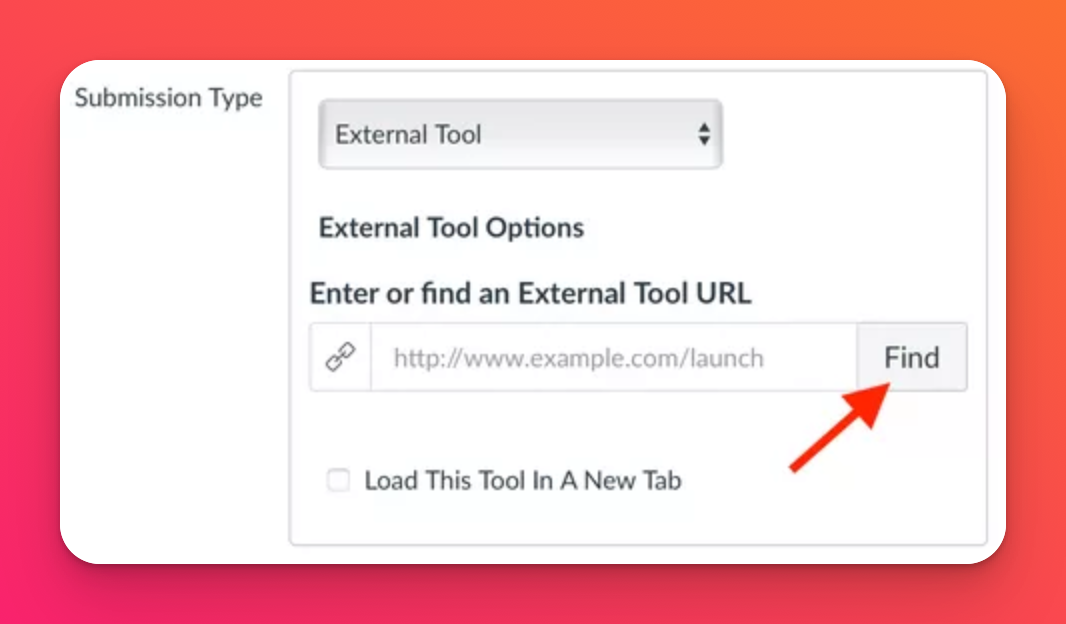 |
2. From the list, select Padlet LTI 1.3 Tooland click Select. | 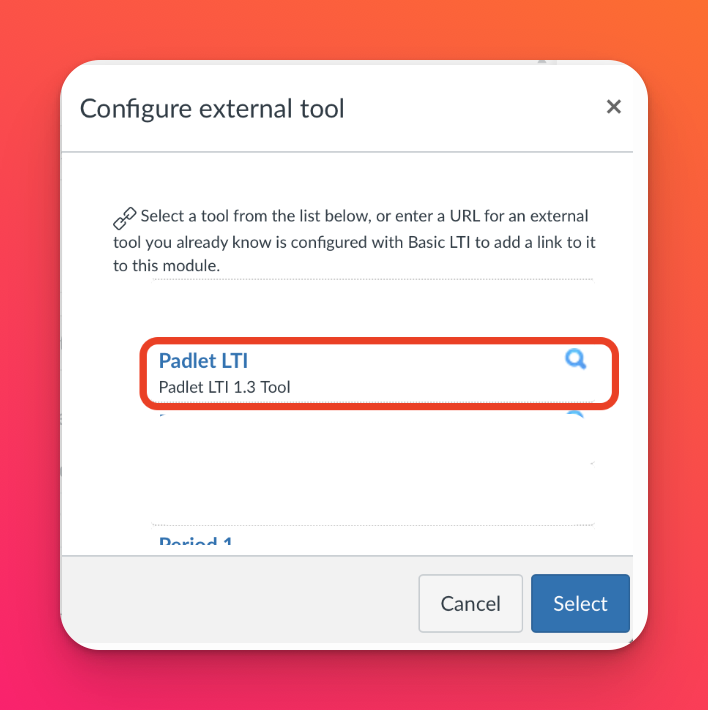 |
Log into Padlet and select a padlet. When prompted, log into your Padlet for Schools account. A pop-up will appear showing existing padlets within your account. You can use the search bar or filter by folder to find the one you need. Once this is done, click Select. | 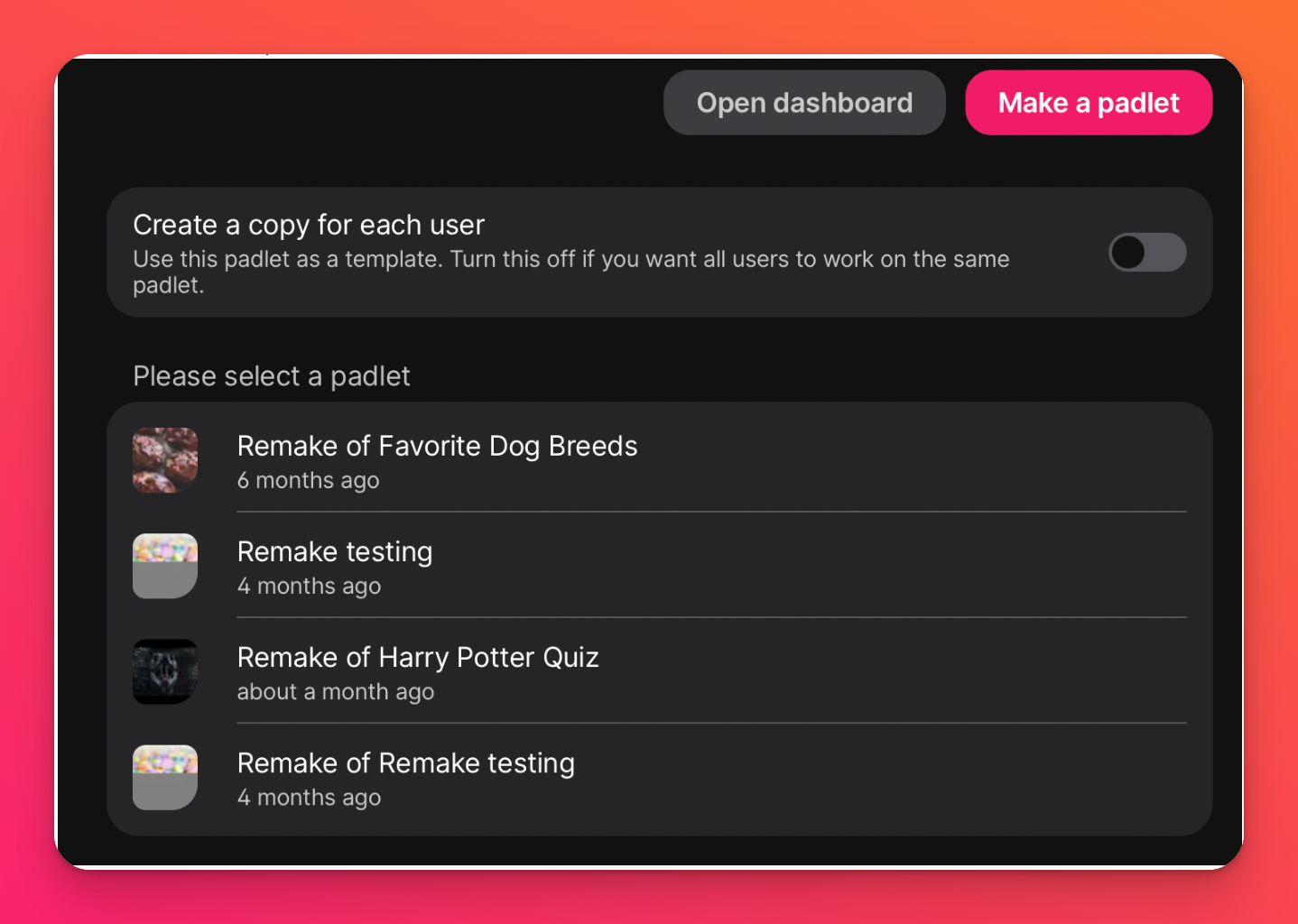 |
A padlet link will appear automatically in the 'External Tool URL' field. Click Save or Save and publish. | 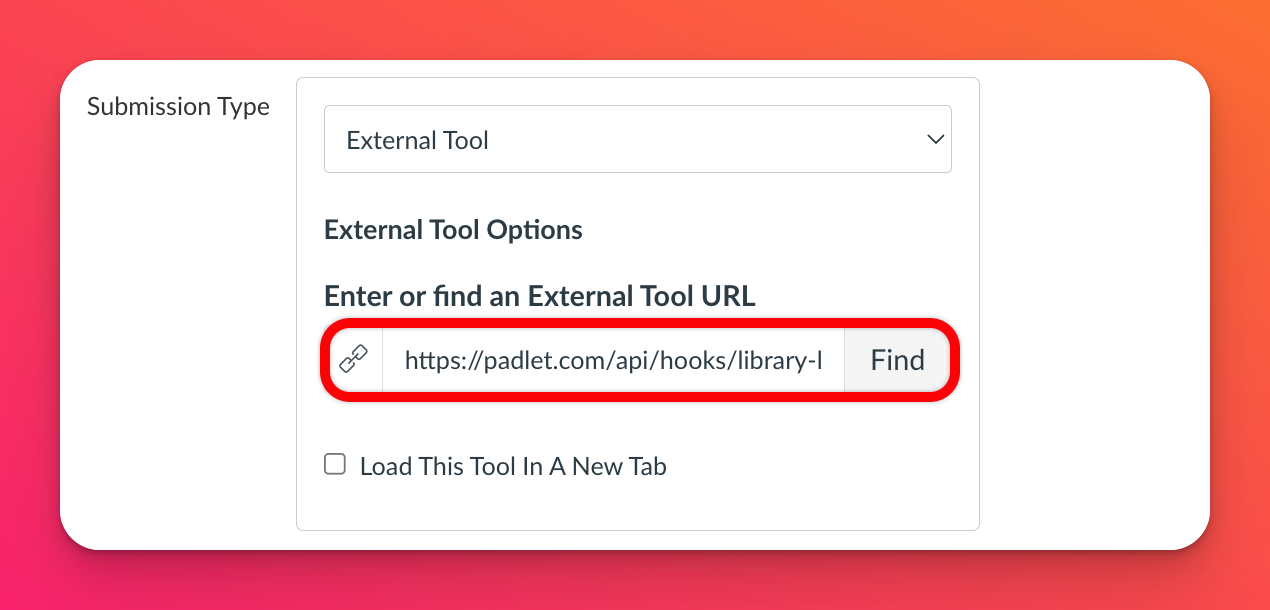 |